Deploying GO Application on AWS vs Nimbuz

Building a Go (Golang) application offers unmatched performance and simplicity with its compiled binaries and built-in web server capabilities. But after writing efficient code, the real question arises where to deploy it?
On one hand, AWS EC2 provides complete infrastructure control from setting up servers, configuring firewalls, and managing SSL to scaling via load balancers. While powerful, it demands time and DevOps expertise.
On the other hand, Nimbuz abstracts away infrastructure complexities. With a few clicks or a simple upload, you get auto-provisioned environments, SSL, monitoring, and instant scalability.
Both can serve production-ready Go apps, but the deployment experience and operational overhead differ greatly.
Let’s explore how deployments work on both platforms and why Nimbuz is becoming the preferred choice for modern Go developers.
🔧 Key Technical Aspects of Deployment Components
- Go (Golang): Compiled language that produces standalone binaries, ideal for scalable backend services.
- Net/HTTP: Standard Go package for building REST APIs or web servers without extra dependencies.
Deploying a Go Application on AWS (EC2 Instance)
AWS EC2 provides deep configurability but requires significant manual setup.
A typical Go application deployment looks like this:
🧩 Prerequisites
- A working Go application (main.go).
- An AWS account with permissions to create EC2 instances, security groups, and optionally Route 53.
Step 1: Launch an EC2 Instance
- Log in to the AWS Management Console.
- Launch a new EC2 instance (Ubuntu or Amazon Linux).
- Configure Security Groups to allow ports 22 (SSH), 80 (HTTP), 443 (HTTPS) and 8080(custom TCP).
- Launch and note the Public IPv4 Address.
SSH into the instance:
ssh -i <path-to-ssh-key> ubuntu@<ec2-public-ip>

Step 2: Install Go
sudo apt update
sudo apt install golang-go -y

Verify installation:
go version

Step 3: Copy Application Files
Transfer your Go project to the instance:
scp -i <path-to-ssh-key> -r <application_path> ubuntu@<ec2-public-ip>:/home/ubuntu/
Step 4: Build and Run the Go Application
SSH again into the instance:
ssh -i <path-to-ssh-key> ubuntu@<ec2-public-ip>
cd /home/ubuntu/<app-folder>
go build -o app main.go
Run the binary:
./app
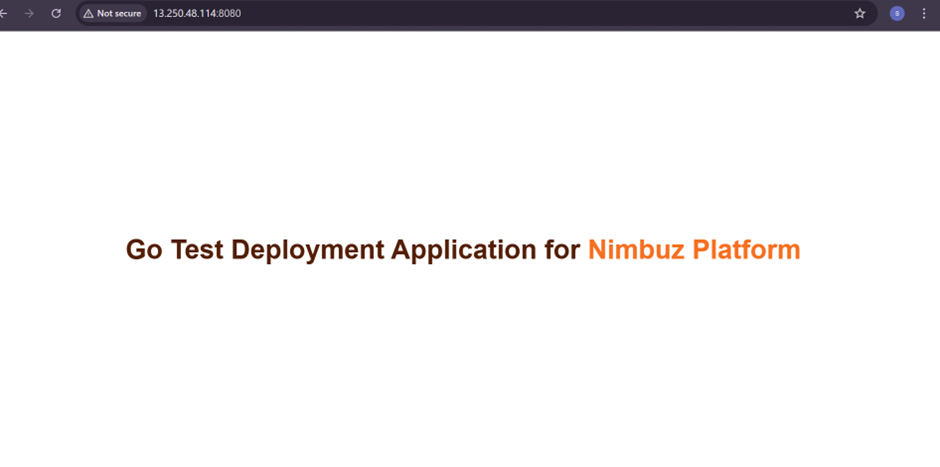
Your Go application should now be accessible at:
http://<ec2-public-ip>:8080
Deploying a Go Application on Nimbuz
Nimbuz streamlines Go deployments with no manual servers or SSH required. You simply upload your app, and it handles everything from SSL to scaling.
Typical Workflow:
- Sign up / Log in to Nimbuz.
- Create a Project and Environment (e.g., Development, Staging, Production).
- Upload as ZIP or Connect GitHub/GitLab – Compress your Go project (including the
main.goor compiled binary) into a single ZIP file and upload it directly from the dashboard or by connecting the repo.
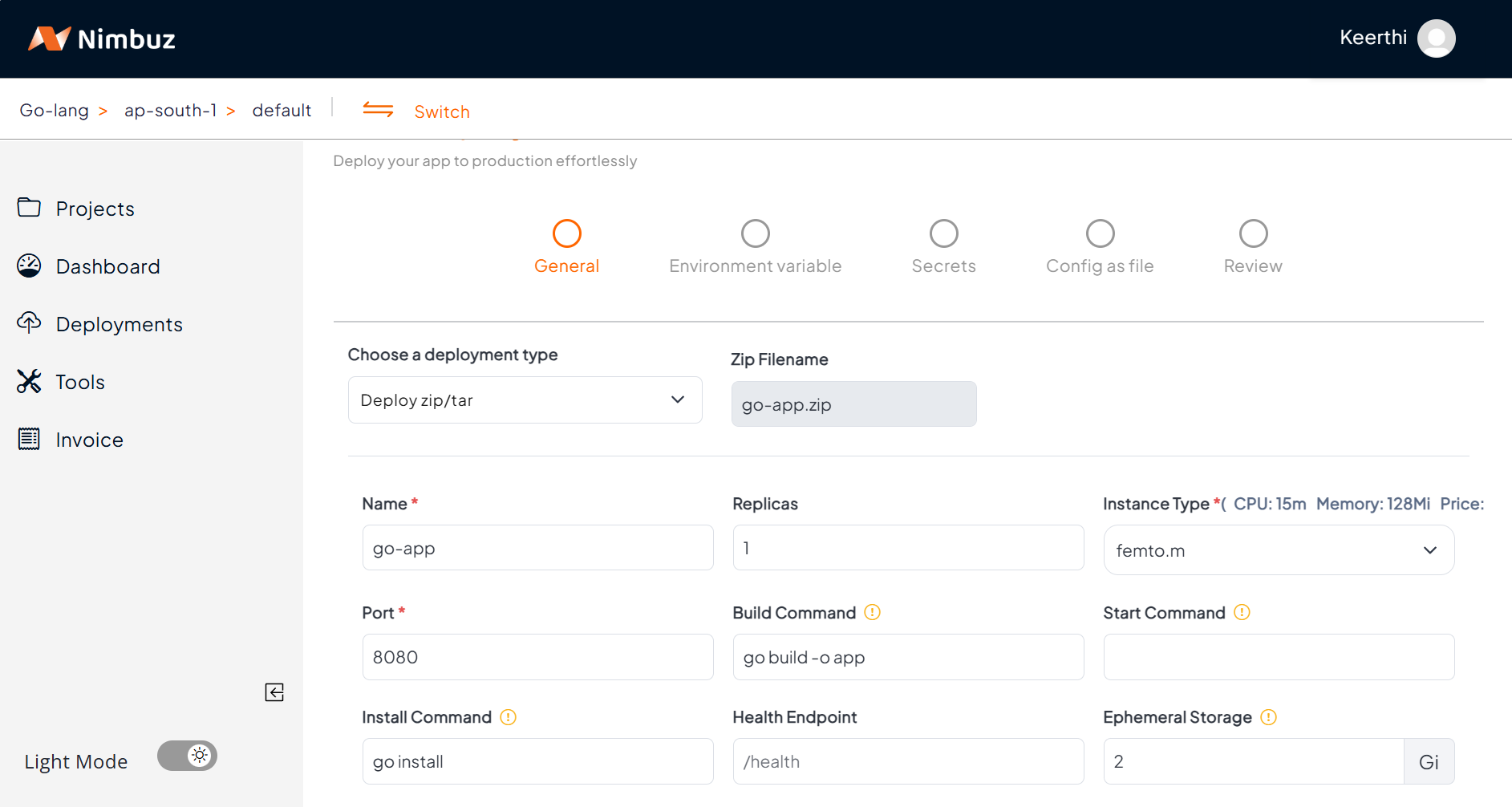
- Configure Application Properties – Inject configuration values securely from the dashboard such as,
Environment Variables (for non-sensitive configs).
Secrets (for sensitive data such as passwords, API keys).
Config as file

5.Deploy and Test – Review and Hit Submit. Once deployed, Nimbuz automatically provisions resources and generates a live private preview URL.
6.Monitor Logs & Performance – Platform provides inbuilt Logging and Monitoring capabilities. View logs, status, and recent releases directly in the UI.

- Access your Application – Go to the Networking tab → Click Generate Domain.
Your app is automatically served with HTTPS & auto-SSL (no Certbot, no renewals).
Optionally, map a custom domain.

Your Go backend or API is now live with complete with HTTPS, monitoring, and scalability. 🚀
Why AWS Feels Heavy for Go Deployments vs Nimbuz’s Effortless Workflow
| Category | AWS EC2 | Nimbuz |
|---|---|---|
| Setup & Deployment | Manual setup: install Go, configure ports, run app, manage services. | One-click upload or Git-based deployment. |
| Domain & SSL | Requires manual Certbot installation and renewals. | Auto SSL + custom domain with one click. |
| Scaling | Needs Load Balancer and Auto Scaling Groups. | Auto-scaling built-in, no config needed. |
| Monitoring | Use CloudWatch + manual log aggregation. | Built-in live logs and resource monitoring. |
| Cost & Billing | Multiple AWS components = unpredictable pricing. | Simple, transparent pricing with free tier. |
| Developer Experience | More DevOps than development. | Focus on code, not servers. |