How We Built Scalable and Reliable UI Automation Using Playwright


As our application grew, manually testing the user interface became challenging. New features, frequent updates, and multiple environments made manual testing slow and error-prone. We needed a better way to ensure quality without slowing down development. That’s when we decided to use UI automation.
Why We Chose UI Automation
UI automation helps us test the application the same way a user interacts with it. Instead of clicking and checking things manually every time, automated tests do this for us. This saved time, reduced human errors, and gave us more confidence during releases.
Why Playwright
We chose Playwright because it is fast, reliable, and easy to use. It supports modern web applications very well and works smoothly with Angular projects. Playwright also supports multiple browsers like Chrome, Firefox, and Edge using a single test script. This helped us improve our test coverage without extra effort.
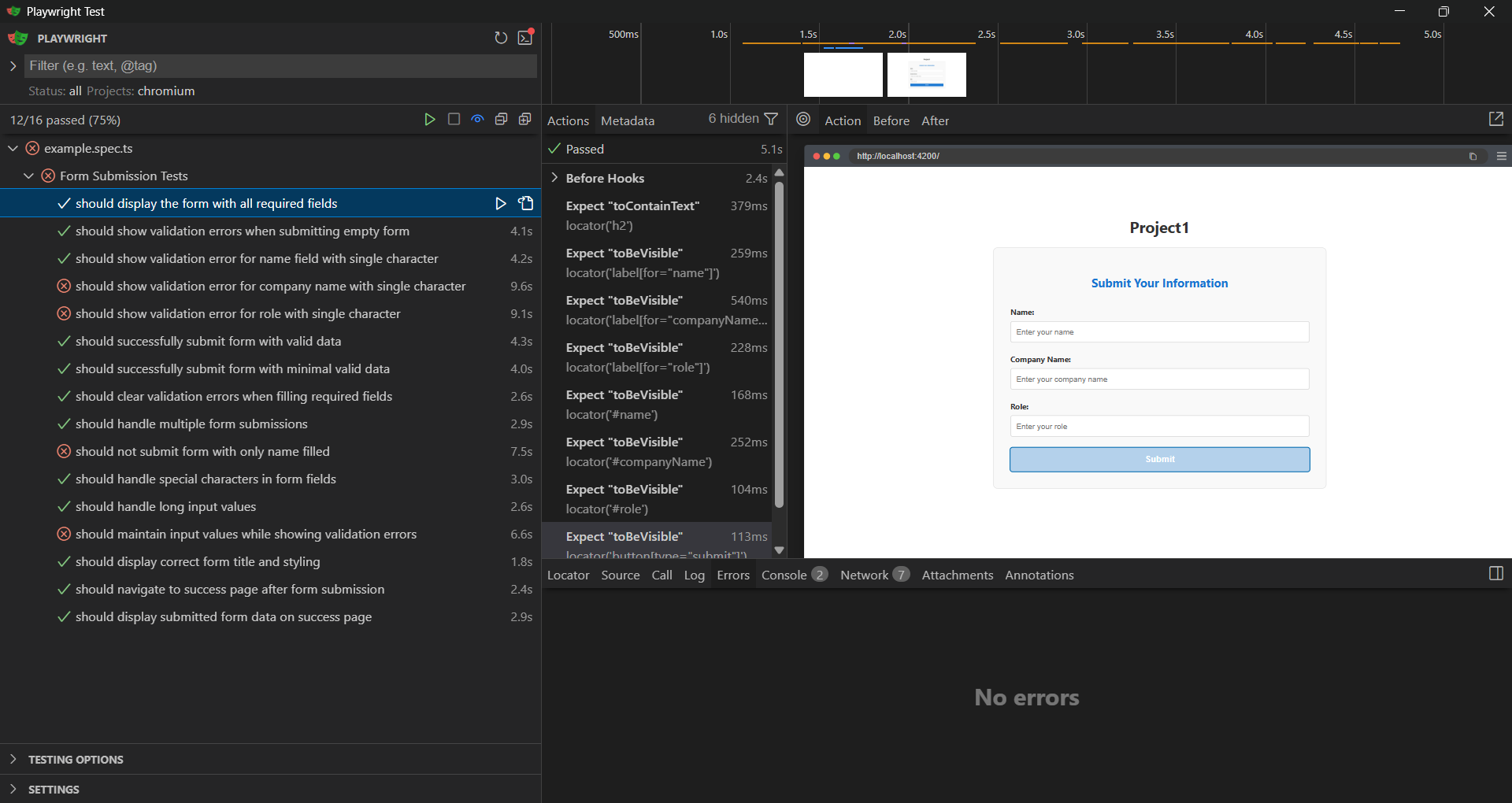
This image shows the Playwright Test Runner UI with the results of Form Submission Tests. The test suite includes multiple scenarios such as verifying required fields, validation errors, successful submissions, and edge cases. Most tests have passed, while a few have failed and are highlighted for review. On the right side, the browser preview displays a form with fields like Name, Company Name, and Role, along with a Submit button.
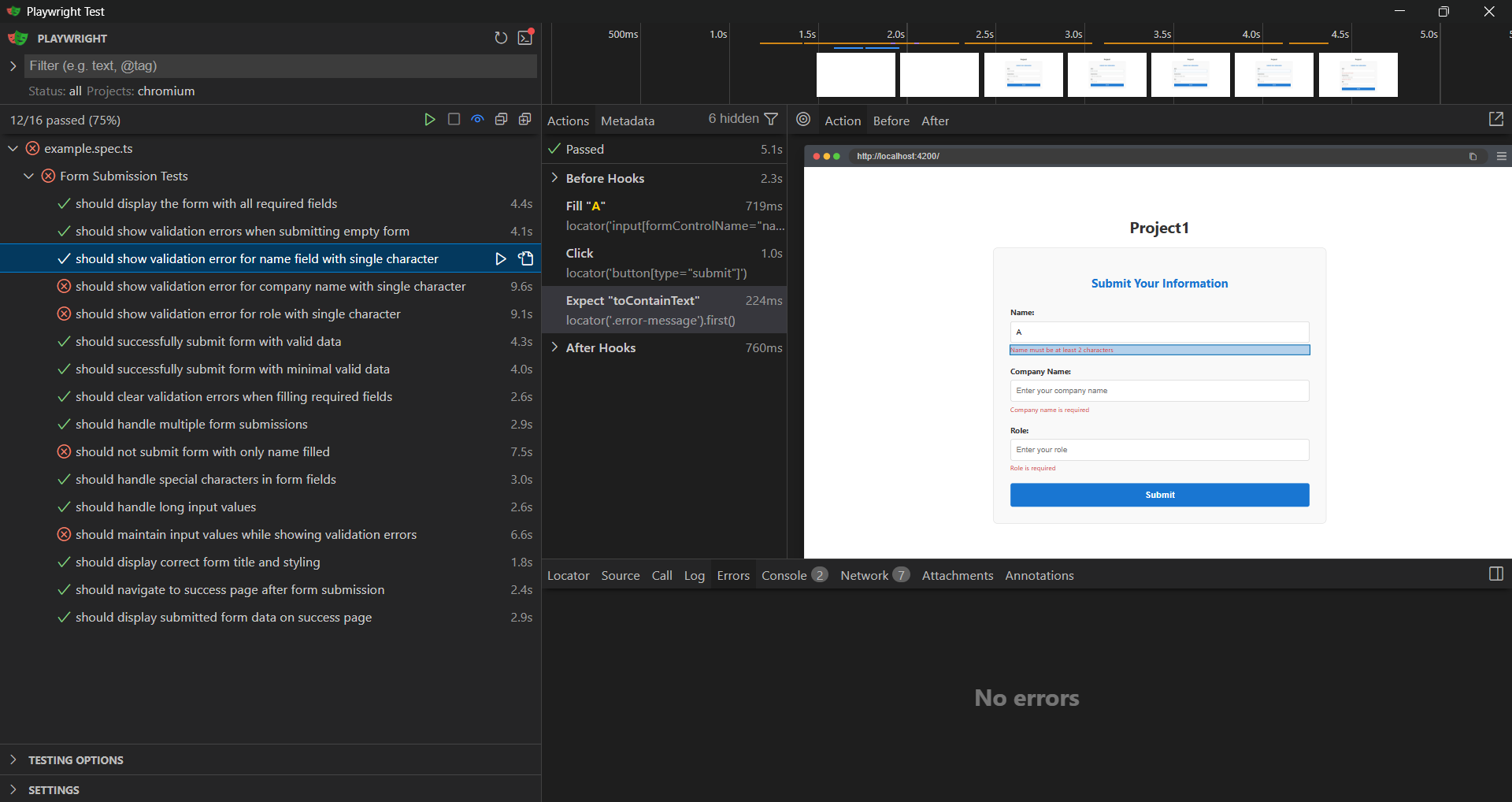
the Playwright Test Runner executing a form validation test. The selected test checks that a validation error is displayed when a single character is entered in the Name field. The browser preview on the right shows the form with validation messages under the input fields, confirming that the form validation works as expected.
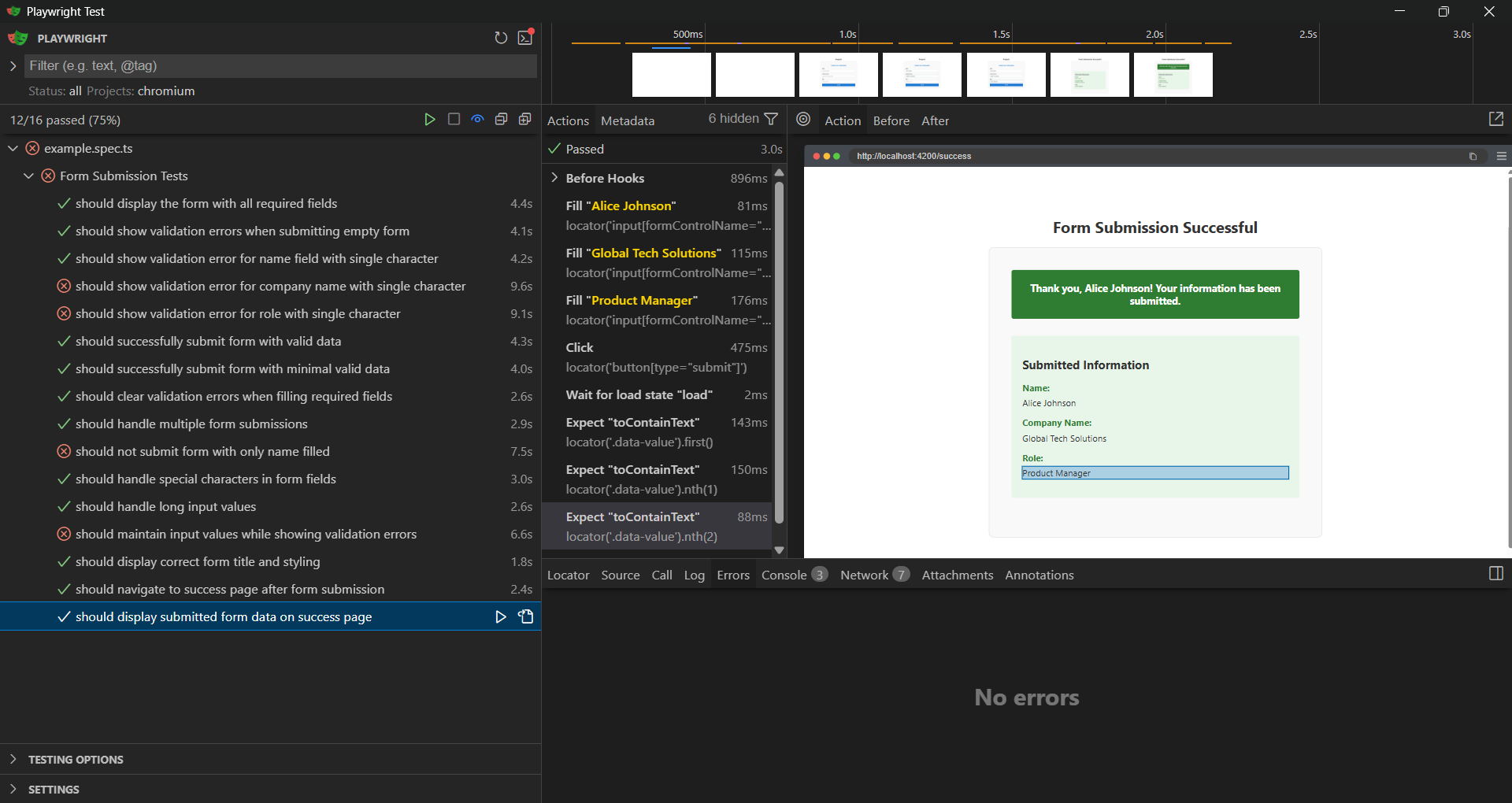
Playwright test verifying a successful form submission. The test confirms that after submitting valid data, the application navigates to the success page and displays the submitted details such as Name, Company Name, and Role. The test execution is completed successfully with no errors.
How We Built Our Automation Framework
We started by identifying the most critical user flows, such as login, form submissions, and navigation between pages. These flows were automated first. We followed a clean structure where tests, locators, and utilities were separated. This made the tests easy to read and maintain. When the UI changed, we only needed to update locators instead of rewriting whole tests.
Making Tests Reliable
To make our tests stable, we avoided hard waits and used Playwright’s built-in waits. The tests wait for elements to be visible or clickable before interacting with them. This reduced flaky test failures and improved consistency across runs.
Scaling the Tests
As the application grew, we added more test cases without breaking existing ones. Playwright’s fast execution and parallel testing helped us run large test suites quickly. Because of it's well structured framework, adding tests made more easy.
Benefits We Gained
- Reduced manual testing effort
- Faster feedback during development
- Better test coverage across browsers
- More confidence during releases
Conclusion
By using Playwright, we built a UI automation solution that is both scalable and reliable. It helped us maintain quality while moving fast. UI automation is now an important part of our development process, and Playwright plays a key role in making it successful.